But what if there was a way to reclaim those lost hours? What if technology could handle the tedious administrative work, freeing teachers to do what they do best—teach? This is where SyncGrade enters the picture. It’s not just another tool; it’s a fundamental shift in how schools manage academic data, designed to bridge the gap between Google Classroom and your student information system (SIS).
This guide offers a comprehensive look at SyncGrade, from its core features to its real-world impact. We’ll explore how it works, who it benefits, and how to implement it successfully. By the end, you’ll understand how this powerful platform can transform your school’s grade management, reduce teacher workload, and create a more connected, efficient educational environment.
Understanding SyncGrade: More Than Just a Grade Sync Tool
SyncGrade is a specialized educational technology platform designed with a clear mission: to automate grade synchronization between disparate school systems. Developed by educators who understood the daily frustrations of manual data entry, it was built to solve a single, pervasive problem: the disconnect between modern teaching tools like Google Classroom and the official record-keeping systems (SIS) that schools rely on. Its target audience is K-12 schools, and it serves everyone from the classroom teacher to the district administrator, and even parents and students who benefit from the resulting data transparency.
The Problem It Solves
The core issue SyncGrade tackles is data fragmentation. In today’s schools, teachers use a variety of apps for assignments, assessments, and communication. This creates information silos. Grades exist in one system, attendance in another, and official records in a third. The burden of manually transferring this data falls on teachers, leading to mistakes, delays, and immense frustration. SyncGrade eliminates this by creating a seamless bridge, ensuring data flows automatically and accurately.
How It Bridges the Gap Between Systems
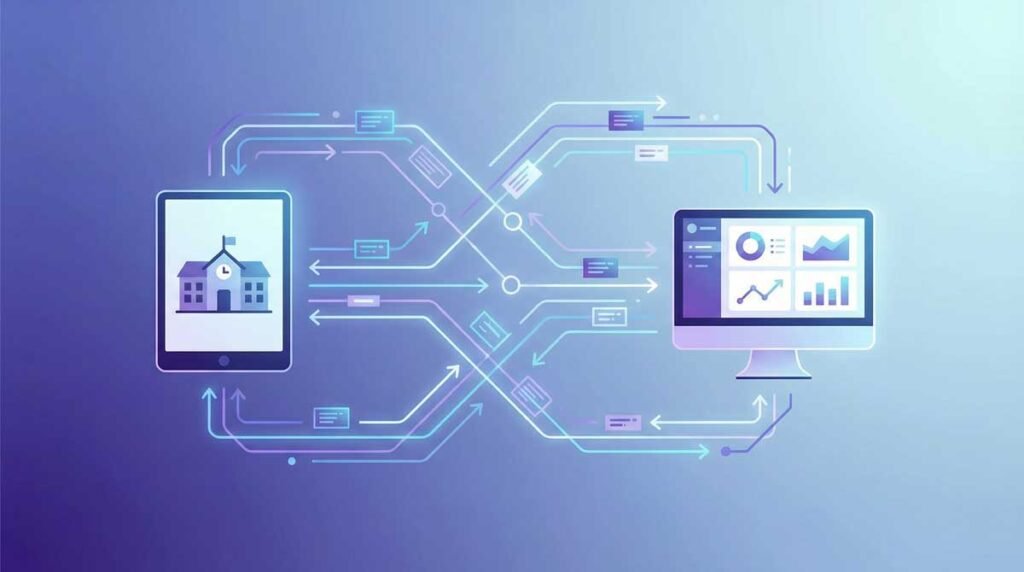
Think of SyncGrade as a universal translator for your school’s data. It connects to Google Classroom, your SIS, and other learning platforms through secure APIs. When a teacher enters a grade in Google Classroom, SyncGrade detects the change, correctly maps it to the corresponding student and assignment in the SIS, and updates the record in real-time. This two-way synchronization ensures that all systems reflect the same, up-to-date information, breaking down the walls between them.
The Technical Foundation: How SyncGrade Works
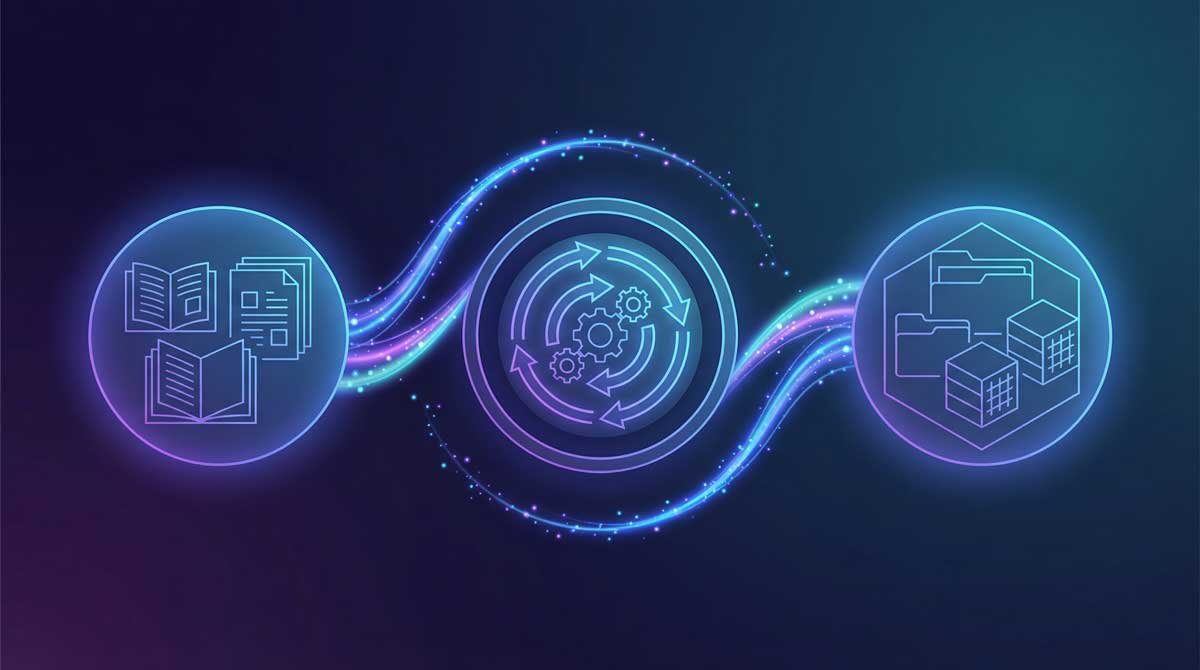
SyncGrade isn’t magic; it’s just smart, reliable technology. It operates as a secure middleware layer, a central hub that communicates between your school’s various platforms. The system uses robust APIs to connect directly to Google Classroom and your Student Information System (SIS). This connection allows it to monitor for changes, translate data, and ensure every piece of information finds its correct home. It’s all done in the background, without requiring any extra steps from teachers.
The Synchronization Workflow
The process is elegantly simple. It begins the moment a teacher enters a grade into Google Classroom. SyncGrade, which is always listening, detects this new data instantly. It then initiates a workflow: first, it verifies the student’s identity across systems. Next, it matches the assignment to the correct category in the SIS gradebook. Finally, it pushes the grade to the SIS. This entire sequence happens in seconds.
Smart Data Mapping Explained
This is where SyncGrade truly shines. The platform’s “smart data mapping” engine understands the nuances of educational data. It doesn’t just copy and paste. It intelligently converts grading scales—transforming points, percentages, and letter grades to match the destination system’s format. It ensures that a “Missing” assignment in Google Classroom is correctly flagged in the SIS, preserving the integrity of the academic record. This prevents the common errors that plague manual data entry.
Real-Time Updates and Reliability
Data is only useful when it’s current. SyncGrade is built for real-time updates, ensuring that parents, students, and administrators are always looking at the most recent information. The platform also includes robust error detection. If a sync fails for any reason—perhaps a student was unenrolled or an assignment was deleted—it alerts the teacher and provides clear steps to resolve the issue. This proactive approach builds trust and ensures the data is always reliable.
Core Features That Transform Grade Management
SyncGrade is packed with features designed to address the real-world challenges of modern education. It goes far beyond simple grade pass-through, offering a suite of tools that provide flexibility, control, and deep insights into student data. These capabilities work together to create a comprehensive solution that saves time, improves accuracy, and empowers educators.
Automatic Grade Synchronization
This is the heart of SyncGrade. The platform completely automates the transfer of grades from Google Classroom to your SIS. Once set up, it runs silently in the background, requiring no manual intervention. Teachers simply grade assignments as they normally would, and SyncGrade handles the rest. This feature alone can save educators several hours each week, eliminating the tedious and error-prone task of copy-pasting scores.
Multi-Platform Integration Capabilities
SyncGrade is built to be the central hub for your academic data. It integrates seamlessly with a wide range of platforms, including:
- Google Classroom: The primary integration, with deep support for its features.
- Student Information Systems (SIS): Connects to major SIS platforms like PowerSchool, Infinite Campus, and more.
- Learning Management Systems (LMS): In addition to Google Classroom, it can connect with other LMS environments.
- Assessment Tools: Pulls data from various assessment platforms to centralize student performance metrics.
Advanced Features for Modern Schools
SyncGrade also includes functionalities that support diverse pedagogical approaches. It offers robust support for standards-based grading, allowing schools to track mastery of specific skills and learning objectives. The platform also provides tools for attendance and behavior tracking, giving teachers a holistic view of each student. This comprehensive data is invaluable for identifying patterns and providing timely interventions.
Compliance and Audit Features
In an era of data accountability, SyncGrade provides peace of mind. Every action taken on the platform is recorded in detailed audit logs. Administrators can see exactly when a grade was synced, what was changed, and who initiated the action. This transparency is critical for FERPA compliance and internal data governance. Furthermore, the built-in error detection and alerts system flags any discrepancies, ensuring that your school’s data is always accurate and defensible.
From Chaos to Clarity: A Real School’s SyncGrade Journey

To understand the real-world impact of SyncGrade, let’s look at the story of Lincoln High School, a fictional but representative example of a school struggling with data management. With 1,200 students and a dedicated teaching staff, Lincoln High was a place of great learning, but its administrative processes were stuck in the past. Teachers were drowning in data entry, and the school’s academic records were riddled with inconsistencies.
Lincoln High School’s Challenge
The core of the problem was a fragmented technology ecosystem. Teachers used Google Classroom for assignments and communication, but the official student information system (SIS) was a separate, legacy platform. This meant that every grade, every attendance update, and every behavioral note had to be manually transferred. The process was not just time-consuming; it was a significant source of errors. A single typo could lead to an incorrect report card, causing stress for students, parents, and staff alike.
The Implementation Process
After a thorough review, Lincoln High’s administration chose SyncGrade. The implementation was surprisingly swift. The school’s IT department worked with the SyncGrade team to connect the platform to their SIS and Google Classroom accounts. The initial setup took less than a week. This was followed by a two-hour training session for all teachers, where they learned how to use the platform’s core features. The intuitive interface meant that most teachers were comfortable with the system by the end of the session.
Results and Measurable Impact
The results were transformative. Within the first semester of using SyncGrade, Lincoln High saw a 95% reduction in grade entry errors. Teachers reported saving an average of four hours per week, time they reinvested in student support and lesson planning. Parent-teacher conferences became more productive, as parents had access to real-time, accurate grade information. Most importantly, teacher morale improved significantly. The frustration of manual data entry was replaced by the satisfaction of having a reliable, automated system.
Who Benefits Most? SyncGrade’s Impact Across Your School
SyncGrade isn’t just a tool for the IT department; its impact is felt across the entire school community. By streamlining data management, it creates a ripple effect of positive change, empowering everyone from teachers and administrators to students and parents. Each stakeholder gains something valuable, contributing to a more efficient, transparent, and supportive learning environment.
For Teachers: Reclaiming Hours
For teachers, the most immediate benefit is time. The hours saved from manual grade entry can be redirected to what truly matters: teaching. This means more time for personalized student feedback, creative lesson planning, and meaningful professional development. Furthermore, the elimination of data entry errors reduces stress and builds confidence in the academic records, allowing teachers to focus on instruction, not administration.
For Administrators: Data You Can Trust
Administrators rely on accurate data for everything from state reporting to strategic planning. SyncGrade provides a single source of truth, ensuring that the data in the SIS is always current and correct. This makes compliance reporting easier and more reliable. It also gives administrators a clear, real-time view of student performance across the school, enabling them to identify trends and make data-driven decisions to support student success.
For Students and Parents: Transparency and Engagement
When grades are updated in real-time, students and parents are more engaged in the learning process. Students can track their own progress, take ownership of their learning, and seek help when they need it. Parents are no longer in the dark, waiting for a report card to see how their child is doing. This transparency fosters a stronger home-school connection and allows for more proactive, supportive conversations about academic performance.
Getting Started: Your SyncGrade Implementation Roadmap
Implementing a new technology platform can feel daunting, but SyncGrade is designed for a smooth and straightforward rollout. With careful planning and a phased approach, your school can be up and running in a matter of weeks, not months. This roadmap outlines the key steps to a successful implementation, from initial assessment to full-scale adoption.
Phase 1: Assessment and Planning (1-2 Weeks)
This initial phase is about discovery and preparation. Before you begin the technical setup, it’s crucial to understand your school’s unique needs and environment. Key activities in this phase include conducting a needs assessment to identify the specific pain points you want to solve with SyncGrade, confirming that your SIS and other platforms are compatible with SyncGrade through a compatibility check, and assembling a small team of stakeholders, including an administrator, an IT lead, and a few tech-savvy teachers.
Phase 2: Technical Setup and Configuration (1 Week)
Once you have a clear plan, it’s time for the technical work. This phase involves connecting SyncGrade to your existing systems and configuring it to match your school’s grading policies. The SyncGrade support team will typically guide you through this process, which includes securely connecting SyncGrade to your SIS and Google Classroom through API integration, defining how grading categories, scales, and assignments should be mapped between systems through data mapping, and setting up accounts for all teachers and administrators through user provisioning.
Phase 3: Testing and Validation (1-2 Weeks)
Before you roll out SyncGrade to the entire school, it’s essential to test it with a small group of pilot users. This allows you to identify and resolve any issues in a controlled environment. During this phase, your pilot group should test the synchronization process with a variety of assignments and grading scenarios, double-check that grades are appearing correctly in the SIS to verify data, and report any bugs, usability issues, or suggestions for improvement to provide feedback.
Phase 4: Staff Training and Rollout (1 Week)
With a successful pilot complete, you’re ready for a full-school rollout. The key to this phase is effective communication and training. Ensure that all teachers feel confident and supported as they begin using the new system. Key steps include clearly communicating the transition to SyncGrade and its benefits through a school-wide announcement, conducting a mandatory training session for all teaching staff with hands-on training, and offering ongoing support through documentation, office hours, and a dedicated point of contact by providing resources.
Solving Common Challenges: A Troubleshooting Guide
Even the best technology can have hiccups. The key is knowing how to solve them quickly. While SyncGrade is designed for reliability, occasional issues can arise, often due to the complex interplay between different systems. This guide covers some of the most common challenges and provides clear, actionable steps to resolve them, ensuring your grade synchronization process remains smooth and dependable.
Sync Failures and How to Fix Them
One of the most common issues is a grade that fails to sync. This can happen for several reasons. It could be a temporary network issue, or perhaps the student’s record is not properly linked between Google Classroom and the SIS. First, check the SyncGrade dashboard for any error messages; they often provide specific clues. If that doesn’t work, a manual sync can often resolve the problem. If the issue persists, it’s time to contact support.
Data Integrity Issues
Sometimes, you might notice a missing student record or a grading scale mismatch. This is often due to a discrepancy in how student information is entered in the SIS versus Google Classroom. For example, a student might be enrolled in the SIS but not yet added to the Google Classroom roster. The best solution is to conduct a regular data audit. Ensure that student names and IDs are consistent across all platforms. SyncGrade’s logging features can help you pinpoint where the inconsistency originated.
Performance and Compatibility Problems
If you experience slow performance or compatibility issues, it could be related to your school’s network or a recent update to one of your integrated platforms. First, check for any announced updates from Google Classroom or your SIS provider. If the issue is widespread, it may be a broader system problem. If it’s isolated to a few users, it could be a local network or browser issue. Clearing the browser cache or trying a different network can sometimes resolve these problems.
Trust and Safety: Security Measures That Matter
When it comes to student data, security is non-negotiable. Schools are entrusted with sensitive information, and any technology platform they adopt must meet the highest standards of data protection. SyncGrade is built with a security-first mindset, incorporating multiple layers of protection to ensure that your school’s data is always safe, secure, and handled in compliance with all relevant regulations.
FERPA Compliance and Student Privacy
SyncGrade is fully compliant with the Family Educational Rights and Privacy Act (FERPA). The platform is designed to support schools in meeting their FERPA obligations by ensuring that student data is only accessible to authorized individuals. All data is handled in accordance with strict privacy protocols, and the company has a clear data governance policy that outlines how student information is collected, used, and protected.
Data Security Architecture
Data is encrypted both in transit and at rest, using industry-standard encryption protocols. This means that whether data is being synced between platforms or stored on SyncGrade’s servers, it is protected from unauthorized access. The platform’s architecture is designed to be resilient, with built-in redundancies and fail-safes to prevent data loss. Regular security audits and penetration testing are conducted to identify and address any potential vulnerabilities.
Compliance Certifications and Standards
SyncGrade adheres to a range of industry best practices and standards for security and privacy. The platform’s infrastructure is hosted in secure, SOC 2-compliant data centers. While specific certifications may vary, the company is committed to maintaining a high level of security and is transparent about its compliance posture. Schools can request access to security documentation to verify that the platform meets their specific requirements.
The Financial Case: ROI and Cost Considerations
While the educational benefits of SyncGrade are clear, any new technology investment must also make financial sense. School budgets are tight, and every dollar must be justified. The good news is that SyncGrade offers a compelling return on investment (ROI), not just in terms of time saved, but also in hard-dollar savings from reduced errors and improved efficiency. This section breaks down the costs and benefits to help you make the financial case for SyncGrade.
Understanding SyncGrade Pricing
SyncGrade typically operates on a subscription model, with pricing based on the size of the school or district. While specific costs can vary, the investment is often significantly less than the cost of the problems it solves. It’s important to request a custom quote for your school to get an accurate picture of the financial commitment. When evaluating the price, consider it not as a cost, but as an investment in your school’s operational efficiency and data integrity.
Calculating Your Return on Investment
To calculate the ROI, start by quantifying the time teachers spend on manual grade entry. If a teacher saves four hours per week, and you have 50 teachers, that’s 200 hours of reclaimed instructional time every week. Multiply that by the average teacher’s hourly wage, and you have a clear dollar figure for the time savings. Add to that the cost of correcting data entry errors, and the financial benefits quickly add up. The table below provides a simple comparison:
| Metric | Manual Grade Entry | With SyncGrade |
|---|---|---|
| Time Spent per Teacher | 4-5 hours/week | <1 hour/week |
| Data Error Rate | 5-10% | <1% |
| Grade Reporting Lag | 1-2 weeks | Real-time |
| Teacher Satisfaction | Low | High |
Making the Budget Case to Administration
When presenting the budget case, focus on the tangible benefits. Frame the investment in terms of teacher retention, instructional improvement, and risk reduction. Highlight the fact that SyncGrade is not just a convenience; it’s a strategic tool that improves the quality of your school’s data and frees up your most valuable resource—your teachers—to focus on students.
How SyncGrade Compares: A Competitive Overview
When considering a solution like SyncGrade, it’s important to understand the full landscape of options. While SyncGrade offers a powerful and specialized solution, it’s not the only choice. Schools have several alternatives, each with its own set of trade-offs. This section provides a clear comparison to help you understand where SyncGrade fits and why it might be the right choice for your school.
SyncGrade vs. Manual Grade Entry
This is the most basic alternative, and for many schools, it’s the status quo. The “benefit” of manual entry is that it doesn’t require any new software investment. However, as we’ve discussed, the hidden costs are enormous. It’s time-consuming, error-prone, and a major source of teacher burnout. In the long run, the cost of inefficiency and data errors far outweighs the perceived savings of forgoing an automated solution.
SyncGrade vs. District-Provided Solutions
Some school districts provide their own, built-in grade pass-through features within their SIS. These can be a good starting point, but they often lack the advanced features and flexibility of a dedicated platform like SyncGrade. District solutions may not support all the platforms your teachers use, and they often have a less intuitive interface. SyncGrade, as a specialized tool, is designed to do one thing exceptionally well: grade synchronization.
Feature Comparison Table
| Feature | Manual Entry | District Solution | SyncGrade |
|---|---|---|---|
| Automation | None | Basic | Advanced |
| Error Rate | High | Moderate | Very Low |
| Time Savings | None | Moderate | High |
| Multi-Platform Support | N/A | Limited | Extensive |
| Standards-Based Grading | Manual | Limited | Full Support |
| Real-Time Updates | No | Sometimes | Yes |
| Audit Logs | None | Basic | Comprehensive |
The Future of Grade Management: What’s Next for SyncGrade
The world of educational technology is constantly evolving, and SyncGrade is committed to staying at the forefront of innovation. The platform is not static; it’s a living, breathing solution that is continuously improving based on feedback from educators and new technological advancements. This section looks at what the future holds for SyncGrade and the broader trends in grade management.
Planned Features and Roadmap
While the specifics of the product roadmap are proprietary, the general direction is clear. SyncGrade plans to expand its integration capabilities, adding support for even more SIS and LMS platforms. The company is also focused on enhancing the user experience, with a redesigned interface and more powerful administrative tools on the horizon. The goal is to make the platform even more intuitive, flexible, and indispensable to schools.
AI-Powered Insights Coming Soon
Perhaps the most exciting development is the planned integration of artificial intelligence (AI) and machine learning. In the near future, SyncGrade will be able to do more than just sync grades; it will be able to analyze them. The platform will provide predictive analytics to identify students who are at risk of falling behind, allowing for early interventions. It will also offer insights into grading patterns, helping schools ensure equity and consistency in their assessment practices.
Frequently Asked Questions About SyncGrade
Here are answers to some of the most common questions about SyncGrade.
- 1. What is SyncGrade and how does it work?
- SyncGrade is a platform that automates the transfer of grades between Google Classroom and your school’s student information system (SIS). It works by creating a secure connection between these systems, allowing grades to be synced in real-time without manual data entry.
- 2. Which schools can use SyncGrade?
- SyncGrade is designed for K-12 schools, particularly those that use Google Classroom. It integrates with a wide range of SIS platforms and is suitable for schools of all sizes, from small independent schools to large public school districts.
- 3. Does SyncGrade require special technical skills to use?
- No. The platform is designed to be user-friendly, with an intuitive interface that requires minimal training. While the initial setup is typically handled by the IT department, teachers will find the day-to-day operation to be simple and straightforward.
- 4. How does SyncGrade handle student data security?
- SyncGrade is fully FERPA compliant and uses industry-standard encryption to protect student data. All data is transferred over secure channels, and the platform includes robust access controls to ensure that only authorized individuals can view student information.
- 5. Can SyncGrade integrate with platforms besides Google Classroom?
- Yes. While the primary integration is with Google Classroom, SyncGrade is designed to be flexible and can connect with a variety of other learning management systems and assessment tools. It’s best to check with the SyncGrade team about your specific integration needs.
- 6. What happens if there’s a syncing error?
- SyncGrade includes built-in error detection and logging. If a grade fails to sync, the platform will alert you and provide information on the cause of the error. In most cases, a manual sync will resolve the issue. For more persistent problems, a dedicated support team is available to help.
- 7. Is SyncGrade free or does it cost money?
- SyncGrade is a subscription-based service. The pricing is typically based on the size of the school or district. While it is a paid service, the return on investment from time savings and error reduction is significant.
- 8. How long does implementation take?
- A typical implementation takes between two and four weeks, from initial planning to full-school rollout. The process is designed to be efficient and minimally disruptive to your school’s operations.
- 9. What training and support are provided?
- SyncGrade provides comprehensive training for all users, as well as ongoing support through a dedicated support team. You’ll also have access to a library of documentation and resources to help you get the most out of the platform.
- 10. Can I use SyncGrade with my current student information system?
- SyncGrade integrates with most major student information systems. However, it’s always a good idea to confirm compatibility with your specific SIS before beginning the implementation process.
Making the Grade: Why SyncGrade Matters Now
In the end, the story of SyncGrade is about more than just technology. It’s about empowering teachers. It’s about giving them back their time, reducing their administrative burden, and allowing them to focus on the human side of education. By automating the tedious task of grade management, SyncGrade is helping to create a more sustainable, efficient, and joyful teaching profession.
If your school is still struggling with manual grade entry, it’s time to consider a better way. Explore what SyncGrade has to offer. Request a demo. Talk to your teachers. The move to an automated grade synchronization platform is not just an upgrade; it’s a transformation. It’s a step toward a future where technology serves education, not the other way around.