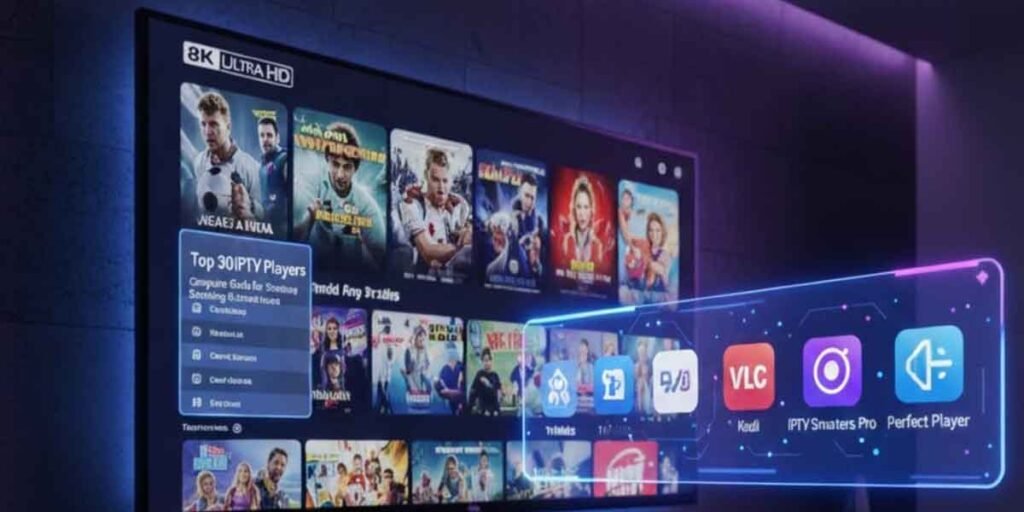
IPTV apps have transformed how we watch television. Whether you’re using an Android smartphone, iPhone, Amazon Firestick, or Smart TV, IPTV lets you stream live TV, video on demand, and regional channels directly over the internet. With the right app, you can access thousands of high-quality channels, including those offered through an Indian IPTV Subscription, without needing satellite or cable TV.
This guide covers the top IPTV apps for all major platforms and explains what features to look for to ensure a smooth, secure, and user-friendly viewing experience.
Table of Contents
ToggleWhat Makes a Good IPTV App?
Before diving into platform-specific recommendations, it’s important to understand the core features that define a good IPTV app:
- Playlist compatibility (M3U, Xtream Codes, Stalker Portal)
- Electronic Program Guide (EPG) support
- User-friendly interface
- Multi-device syncing
- Catch-up TV and VOD support
- Subtitle and audio language control
- Regular updates and stable performance
A quality IPTV app should offer consistent performance, especially when streaming HD or 4K content across various devices.
Best IPTV Apps for Android Devices
1. IPTV Smarters Pro
Arguably the most popular IPTV app for Android. It supports live TV, VOD, series, EPG, and catch-up. The interface is modern and easy to navigate.
Pros:
- Compatible with Xtream Codes & M3U
- Works on Android phones, tablets, TV boxes
- Supports multi-screen viewing
Ideal for: Those who want a full-featured app with an elegant UI.
2. TiviMate IPTV Player
TiviMate is a powerful IPTV player designed specifically for Android TV and boxes. It offers advanced features and a cable-like viewing experience.
Pros:
- Advanced EPG grid
- Multi-view mode
- Favorites and custom channel groups
Ideal for: Power users and Android TV box owners looking for deep customization.
3. XCIPTV Player
XCIPTV supports both M3U and Xtream Codes, offering a responsive and fast-loading experience.
Pros:
- Built-in player
- Supports EPG and catch-up
- VOD section with poster view
Ideal for: Users who want an app that works straight out of the box.
Best IPTV Apps for iOS (iPhone & iPad)
1. GSE Smart IPTV
A widely used app for iPhone and iPad. GSE Smart IPTV is known for its clean UI and extensive playlist support.
Pros:
- Supports M3U, JSON, and Xtream Codes
- EPG and subtitle support
- Built-in player with casting features
Ideal for: Users looking for iOS compatibility and stable performance.
2. iPlayTV (Paid App)
Offers a native feel on iOS with an intuitive interface and full EPG integration.
Pros:
- Smooth navigation
- Supports multiple playlists
- Easy EPG mapping
Ideal for: Users who prefer premium apps with polished design.
3. IPTVX (Subscription-based)
IPTVX offers a premium IPTV experience with iCloud sync, resume playback, and support for Apple ecosystem devices.
Ideal for: Apple enthusiasts who want seamless cross-device performance.
Best IPTV Apps for Amazon Firestick and Fire TV
1. IPTV Smarters Pro
Available via APK installation (not in the Amazon App Store). Easy to use and widely compatible.
Pros:
- User-friendly
- Supports multiple login methods
- Remote-friendly layout
How to install: Sideload using Downloader app or install from the IPTV provider’s direct link.
2. TiviMate (Sideloaded)
Though not directly available on Firestick, it can be sideloaded and works extremely well with the Fire TV remote.
Pros:
- Fast channel switching
- Organized layout
- EPG with multi-day views
Tip: Works best with a Best Indian TV Box or Firestick 4K Max for higher stream resolution.
3. Flix IPTV (Paid)
Another Firestick-compatible IPTV player that supports custom playlists and works well with remote control.
Pros:
- Clean interface
- Subtitle and language settings
- Smooth performance on Fire OS
Best IPTV Apps for Smart TVs
1. Smart IPTV (SIPTV)
Pre-installed on many LG and Samsung TVs or available via external USB installation. This app is very stable and supports M3U playlists.
Pros:
- Great for LG/Samsung Smart TVs
- One-time activation fee
- No ads
Caution: Some TVs may block this app by default. Check compatibility first.
2. SS IPTV
Free IPTV app that works well on many Smart TV models. It allows playlist upload via link or QR code.
Pros:
- Lightweight and easy to use
- Free with no hidden costs
- Basic EPG support
Good for: First-time IPTV users on Smart TVs.
3. Net IPTV
Successor to Smart IPTV, offering improved performance and newer interface.
Pros:
- Playlist upload via browser
- Good channel organization
- Supports multiple languages
Note: One-time fee required after trial period.
Which IPTV App is Best for You?
The answer depends on your device and viewing habits:
- For Android TV box or Firestick: TiviMate or IPTV Smarters Pro
- For smartphones or tablets: GSE Smart IPTV or XCIPTV
- For Smart TVs: Smart IPTV or Net IPTV
- For Apple users: iPlayTV or IPTVX
Each of these apps supports the core functionality of Indian IPTV services, regional language content, and live international channels.
Why Pair Your IPTV App with a Dedicated Device?
Even the best app can struggle if your TV or phone isn’t optimized for streaming. Pairing your IPTV subscription with a high-performance device—like the Best Indian TV Box—delivers smoother playback, better decoding for HD/4K streams, and faster channel navigation.
These boxes:
- Work well with IPTV Smarters, TiviMate, and XCIPTV
- Support Ethernet connections for stable streaming
- Are optimized for Indian regional content
- Allow simultaneous usage with multiple devices
For users who want uninterrupted, high-definition streaming with regional language support, a dedicated IPTV box is strongly recommended.
Tips for Getting the Best Experience
- Use a stable internet connection (at least 25 Mbps for HD or 50 Mbps for 4K).
- Avoid free IPTV apps from unknown sources to prevent malware or performance issues.
- Keep your app updated for security and new features.
- Use a VPN if you’re accessing IPTV from a region with geo-restrictions.
- Test app compatibility during a free trial with your IPTV subscription.
Final Thoughts
The right IPTV app makes all the difference in your streaming experience. From user interface to stream quality, stability, and features, each app brings something different depending on your platform.
Whether you’re using Android, iOS, Firestick, or a Smart TV, ensure your app is fully compatible with your IPTV provider. Services like Indian IPTV Subscription offer broad compatibility with the apps listed above and are optimized for global Indian audiences.
To truly elevate your viewing, combine a top-tier IPTV app with a reliable streaming box. That’s how you unlock the best of modern, on-demand, multilingual television.